Surgery Schedule and Confirmation
- 🖥️Web
- 📱Mobile
- A patient can be confirmed for Surgery from the Schedule List.
-
This screen displays date wise list of patients scheduled for Surgery with Name, Age, Procedure, UHID, Eye, Doctor Name, Date and Time.
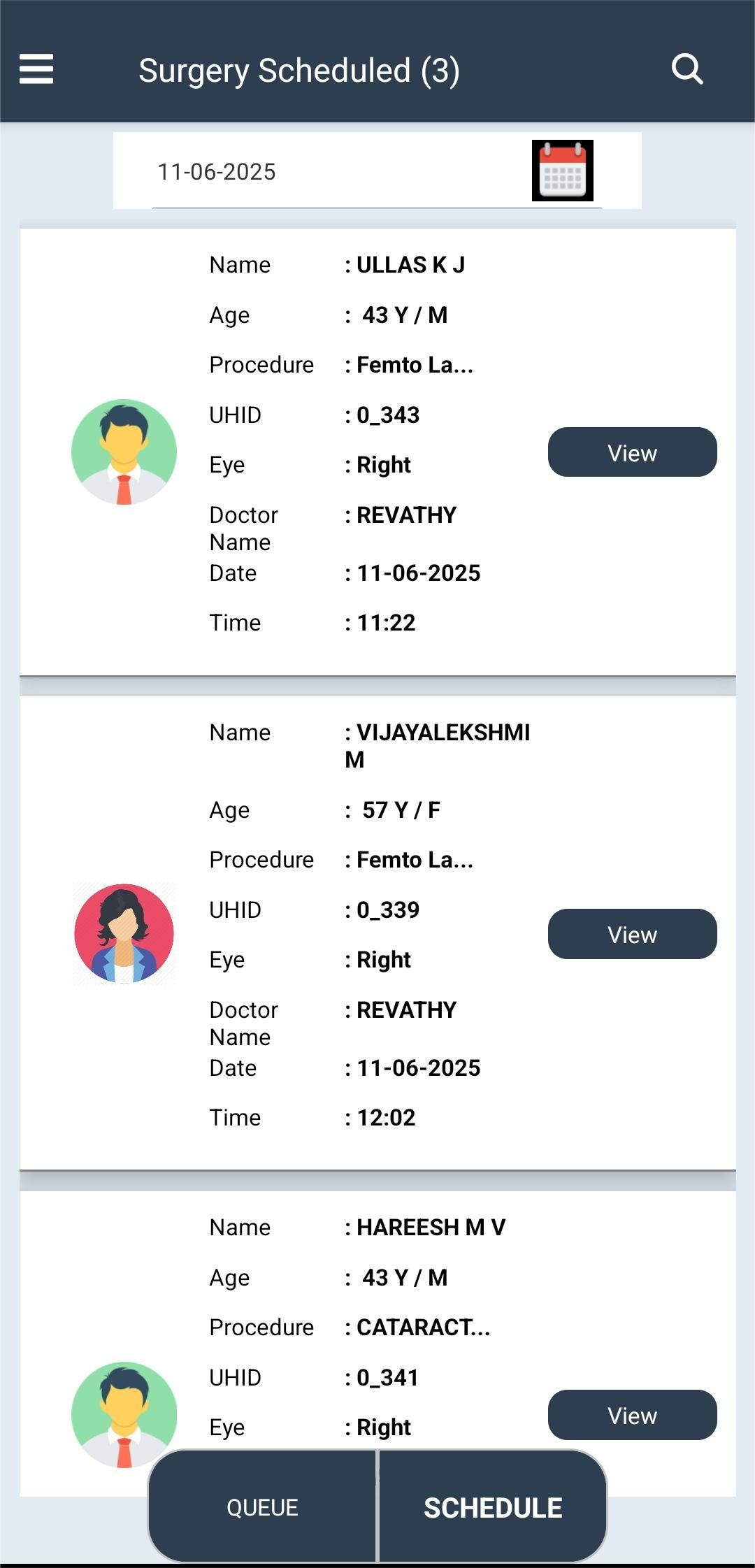
- Click View button to View/Edit Patient details added by the Counselor.
- Can Edit Doctor Name, Admit date, reporting Time, Systemic, Room/Ward, OT room, Discharge Date, Eye, Lens, Powe, Reason for Admit and check boxes (VIP, Camp Patient, Foreign Citizen)
- Edit Insurance details if needed (Insurance Provider, Insurance number, Insurance Expiry, Alternate Number, Patient Name, DOB and Gender).
- Comments: Add Comments if any.
- Consent form/Declaration check box: Tick to enable Confirm Button.
- Click Confirm button to confirm the surgery. The patient will be added to the Surgery List (Queue).
- Click Cancel Button to cancel the scheduled surgery with reason.